Pages

Showing posts with label apps. Show all posts

Saturday, January 21, 2017

Complete device MDM and app MAM Mobile Management across Google Apps


Working on the move has gotten pretty easy. With just your phone, you can set up your next meeting in Calendar, keep track of your expenses in Concur and follow up with a new client in Gmail. And as the IT admin, it’s now easier than ever to get your team up and running on their own devices with Google Apps Mobile Management. Starting today, with the new Device Policy app on iOS, employees can easily see which apps are company approved, install them, and keep getting things done. On Android, admins can already use the Device Policy app and Google Play for Work to manage devices and apps (MDM and MAM for alphabet soup lovers), while on iOS, admins can also already manage device policies like requiring passwords and removing company information with account wipe (MDM) directly from the Admin console.
As the admin, you can quickly whitelist any work app from the iOS device management section in the Admin console.
Because security has always been a top priority for Google, were continuously working to stay ahead of those with bad intentions. But the latest security is only as good as the number of people who use it, and that’s why mobile management — including MDM and MAM — is simply a part of Google Apps for Work, so you can just start using it, nothing to buy. We spend a lot of time on those devices in our pocket, so take advantage of everything included with Google Apps for Work, and let us know what’s working and what could be better in the Google for Work Community.

Read More..

Monday, December 19, 2016

Belgian employment agency VDAB offers job services at the speed of Google Apps


Editors note: Today’s guest blogger is Michael De Blauwe, project leader of the Innovation Lab at VDAB, the public employment bureau for Belgium’s Flanders region.

In the past, clients walked into one of our employment offices and waited to meet with one of our consultants. Today, they don’t have to leave home to get face-to-face feedback on their resumes or participate in mock interviews. Timing is critical for job seekers, and at VDAB – the public employment bureau for Flanders – we’re using Google Apps to more quickly and efficiently help people in need of job services and training. We’re also reaching more people while saving money by reducing the number of physical employment centers by nearly 30%.

What used to take a week for an in-person resume workshop followed by a practice interview, now happens in less than 24 hours. Our thousands of employment specialists use Google Hangouts and Google Docs to review customers’ resumes and coach them on interview skills. This digital transformation has been a hit with job seekers. In 2013, we had 4,920 people use our new e-coaching services, and 83% said they would recommend it to friends.

We’re not just using Apps to serve more people — we’re delivering better service. VDAB job coaches now use Google Drive to store resources and Docs to comment on clients’ resumes while speaking with them on Hangouts. All of a client’s job-related files are stored in one place, with all feedback contained within the document.

Our team also works together more efficiently. Because our coaches work from different locations throughout Flanders, it’s helpful to have a central repository that allows people to share information and work together from different locations. We use Google Drive to share information about job openings and Google Sheets to track customer queries in a single document that everyone can access. Before Google, we’d send thousands of emails back and forth to share resources, respond to customers, and schedule appointments.

When we made a company-wide push behind Apps in 2012, using our early Google adopters to inform others, we found that it was already taking hold. Now that all of VDAB has switched to Apps, we’re moving faster, helping more people build their job-seeking skills and matching more employers with qualified candidates.

We worked with Capgemini, a Google Apps Premier Partner in Belgium, who performed this successful migration.
Read More..

Wednesday, December 14, 2016

You’re invited to submit an app to the Google Fit Developer Challenge

With the recent launch of the Google Fit platform, we hope to spur innovation in the world of fitness apps and devices that encourage users to have a more active lifestyle. To expand the ecosystem and help users get a more comprehensive view of their fitness, we’re excited to announce the Google Fit Developer Challenge in partnership with adidas, Polar, and Withings.
We’re inviting you to create and showcase an app, or update an existing app, that integrates with Google Fit. The submission deadline is February 17, 2015. Our selected judges will choose up to six new apps and six existing apps for Fit, as the winners. The judges are looking for fitness apps that are innovative, fun to use, keep users coming back, offer users real benefit, and meet the Android design and quality guidelines.

Challenge winners will be featured on Google Play in front of Android users around the world. Runners-ups will also receive prizes, in the form of smart devices from Google, adidas, Polar, and Withings, so that they can continue to tinker and improve their fitness apps with the latest hardware.

Check out the challenge website to find out how to enter*. You will also find some helpful resources to find inspiration. We encourage you to join the Google Fit Developer Community on Google+ to discuss your ideas and the challenge.

* The challenge is open to registered Google Play developers in the US, UK, France, Germany, India, Israel, Hong Kong, Singapore, South Korea, Japan, and Taiwan who are over the age of 18 (or the age of majority in their country). For the full terms and conditions, read the official rules.

Posted by Angana Ghosh, Product Manager, Google Fit
Read More..

Wednesday, November 9, 2016

Add Google to your iOS Apps with CocoaPods

Posted by Jonathan Beri, Product Manager

Today, we’re announcing that CocoaPods will be the primary channel to acquire Google SDKs for iOS. CocoaPods is a popular, free dependency manager for iOS that significantly simplifies the process of importing libraries and frameworks into Xcode. And it will help you manage your dependencies between our various libraries.

While there was a small but growing number of official Google Pods, as well as a few Pods written by other iOS developers, it was often difficult for developer to find the right SDK. With today’s announcement, some of our key libraries, like Google Cloud Messaging and the Google Maps SDK for iOS can now be found on the public CocoaPods service. Going forward, new iOS SDKs will be packaged and documented as Pods and published on cocoapods.org. You can find the full list of Google Pods and all supporting documentation at developer.google.com/ios/cocoapods.

If you havent used CocoaPods yet, now is a great time to give it a try. Add GoogleAnalytics to a Podfile to start counting new users. Or pod install your way to adding AdMob ads in your app. And check out pod try, a CocoaPods plugin that allows you to quickly launch our demo projects.

For more iOS developer protips and to learn more about Google’s iOS SDKs, please check out the Route 85 video series from Todd Kerpelman. We look forward to all the great Google-powered iOS apps you will create!

Read More..

Wednesday, November 2, 2016

Custom email apps and more for Google Domains


(Cross-posted on the Google and Your Business Blog.)

Last year we introduced Google Domains in the U.S. to make it easy for your business to get online with a domain name and website. We wanted to make finding, buying and managing domains for your business simple, and we partnered with best-in-class website builders like Blogger, Shopify, Squarespace, Weebly and Wix to help you create your site no technical experience required.

Since then, weve helped people register hundreds of thousands of domain names and create tens of thousands of websites, many of whom are businesses like yours looking to build and expand their online presence. Through your continued feedback, today we’re introducing upgrades to improve the Google Domains experience by adding:

  • Custom email addresses create an email address like, you@yourdomain or sales@yourdomain via Google Apps for Work.
  • Over 90 new domain name endings  purchase domains with new endings like, .life, .world, .business, .cool, .pizza, .gifts, and .football (here’s the new full list).
  • Domain ownership transfer  allows you to always make sure the right person is managing the right domains (learn more here).

Custom email addresses are a key part of building your online identity. Email addresses such as you@yourdomain help you establish credibility when you communicate with customers. Setting up a custom email address with Google Domains is an optional service for $5/month/user, and with that you’ll also get the full Google Apps for Work productivity suite. Google Apps for Work includes helpful business tools like video meetings, shared calendars, online document editing and 30 GB of file storage.
New domain name endings offer more choice and flexibility as you pick a memorable address for your business website. New endings are continuously opening up to the web, like .legal, .accountant and .services, and can help you create a name that matches who you are and what you do. Check out some of the people on Google Domains already using these new domain name endings: sublimation.kitchen, smilesnap.social, thecooler.ninja, and marcblair.photography.
It’s our mission to help your business easily get online and succeed with a domain name, and we want to make sure we continue to offer you the best tools and experience possible in our beta. So, if you have any input, questions or feedback, please don’t be shy!

See you online at www.google.com/domains.
Read More..

Monday, October 31, 2016

Android Revolution HD on HTC London Event


On Tuesday, February 19th, 2013 in London there is something big going to happen. Weve all heard some rumors and seen leaked pictures, but there is nothing officially confirmed just yet. Our biggest expectation is to see new high-end HTC device called HTC One (HTC M7) running new user interface - HTC Sense 5.0. Maybe there is something more...

Why am I writing all this? Because I will be there, relating on live this great event. From Feb. 18th Ill be in London with HTC, counting down the last minutes to the show beginning. Follow me on Twitter (@mike1986_), watch my Facebook site (http://www.facebook.com/AndroidRevolutionHD) and check out this blog regularly for hot & fresh news, photos and details about upcoming HTC top products!

You can see my photos from that great journey here - http://android-revolution-hd.blogspot.com/p/trip-to-london-for-htc-event-2013.html


Read More..

Saturday, October 29, 2016

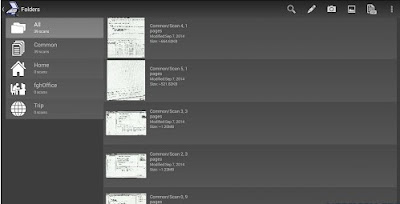
Mobile Doc Scanner MDScan Apk v3 1 1 Patched

Mobile Doc Scanner (MDScan) v3.1.1 Patched
Extremely useful mobile tool gives users the power to scan any type of document, transform it into PDF format and share it right from your device.
With MDScan users are free to scan any type of document, ranging from receipts to text pages and almost everything in between, on the go anywhere and anytime.
A perfect companion for busy users, MDScan allows anyone to transform everything from invoices to whiteboards and classes notes, magazine articles and more into a PDF format in order to easily export them, share and e-mail it to others, or for any other reason they can come up with. MDScan automatically detects borders, corrects distortion, and equalizes brightness to create clear, legible documents at a very high speed for your convenience.
Going above and beyond other mobile scanning solutions MDScan offers Batch shooting mode for a super fast scanning so users can easily scan within seconds multiple pages and save scanned files for batch processing later.
The app shines in terms of uploading as well as all document conversion is performed locally right on users device. This means that you can upload documents to cloud storage services, including Dropbox, Google Docs, or Box.net, email services, or Facebook and Twitter that is guaranteed to go off quickly, without a hitch, and without risk of any potentially sensitive information becoming compromised.
Simply put theres enough for you to worry about without having to go out of your way to scan and convert files into PDFs should the need arise, and now with MDScan its one worry you wont ever have again.
?????
Main advantages and benefits
========================
? Transform any image into PDF format.
? Automatic, high quality document edge detection and perspective correction.
? Manual free Advanced image processing to enhance poor quality images and documents.
? Quickly scan and manage multi-page documents on the go
? Scan, upload or send any document quickly, including receipts, news and magazine articles, invoices, coupons, posters and much more
? Cloud storage and social network integration for accessibility and sharing
Don’t hesitate to contact us at any time and send your suggestions or questions to our support email. We try to do our best to answer to your comments as soon as possible.
This software is registered by Russian Federal Institute Of Industrial Property # 2013619506

WHATS NEW
Improved Lolipop (new API) Camera
Share multiple PDFs
Share PDF from list of scans by long click
Export scan as separated JPEG files
Minor interface improvments
Minor bugs fixes

This app has no advertisements

Download APK:
click here
Additional Server:
click here
Google Play Store:
click here
Read More..

Saturday, August 20, 2016

Google Cardboard Seriously Fun

As simple as they are, cardboard boxes are pretty great. Maybe you transformed one into a fort or castle growing up. Or maybe your kids took last week’s package delivery and turned the box into a puppet theater. The best part about cardboard is that it can become anything—all you need is your imagination.

It’s this same spirit that inspired our team to turn a smartphone, and some cardboard, into a virtual reality (VR) viewer earlier this year. Suddenly, exploring the Palace of Versailles was as easy as opening an app. And the response was kind of delightful.

We’ve been working to improve Google Cardboard ever since. And today—with more than half a million Cardboard viewers in people’s hands—weve got a fresh round of updates for users, developers, and makers.
For users: more apps to enjoy, and more places to buy

There are now dozens of Cardboard-compatible apps on Google Play, and starting today we’re dedicating a new collection page to some of our favorites. These VR experiences range from test drives to live concerts to fully-immersive games, and they all have something amazing to offer. So give ‘em a try today, and download the new Cardboard app to watch the collection grow over time.
Example apps for Cardboard (clockwise, from top left): Vanguard V 3D game, Paul McCartney concert, and Tilt Brush gallery.

If you don’t have a Cardboard viewer yet, you can now pick one up from DODOcase, I Am Cardboard, Knoxlabs, and Unofficial Cardboard. And of course you can always build your own (with new specs below!).

For developers: SDKs for Android and Unity

If you’ve ever tried creating a VR application, then you’ve probably wrestled with issues like lens distortion correction, head tracking, and side-by-side rendering. It’s important to get these things right, but they can suck up all your time—time you’d rather spend on gameplay or graphics.

We want to give you that time back, so today we’re introducing Cardboard SDKs for Android and Unity. The SDKs simplify common VR development tasks so you can focus on your awesome, immersive app. And with both Android and Unity support, you can use the tools you already know and love. Download the SDKs today, and check out apps like Caaaaardboard! and Tilt Brush Gallery to see what’s already possible.

For makers: tool-specific specs, and custom viewer calibration

To help bring VR experiences to everyone, we open sourced a Cardboard viewer specification earlier this year. Since then we’ve seen all sorts of viewers from all sorts of makers, and today we’re investing in this community even further.

For starters, we’re publishing new building specs with specific cutting tools in mind. So whether you’re laser- or die-cutting your Cardboard viewers in high quantities, or carving single units with a blade, we’ve got you covered.

Once you’ve got your custom viewer, we also want to help you tailor the viewing experience to its unique optical layout. So early next year we’ll be adding a viewer calibration tool to the Cardboard SDK. You’ll be able to define your viewer’s base and focal length, for example, then have every Cardboard app adjust accordingly.

For the future: watch this space, and we’re hiring

The growth of mobile, and the acceleration of open platforms like Android make it an especially exciting time for VR. There are more devices, and more enthusiastic developers than ever before, and we can’t wait to see what’s next! We’re also working on a few projects ourselves, so if you’re passionate about VR, you should know we’re hiring.

Here’s to the cardboard box, and all the awesome it brings.

by Andrew Nartker, Product Manager, Google Cardboard
Read More..

Friday, July 29, 2016

Introducing Google Actual Cloud Platform


(Cross-posted on the Google Cloud Platform Blog.)

At Google Cloud Platform, we strive to deliver innovative cloud computing technology to developers at low costs with massive scale. Currently, our cloud offerings are powered by best-in-class data centers, virtualization software and container-based applications, but as we consider the future of cloud computing, we realize there’s a major opportunity ahead that would allow us to deliver an unprecedented improvement in the power, efficiency and reliability of our infrastructure. We can elevate cloud computing like never before.

We’re answering the question that’s been in front of us the whole time: why isn’t cloud computing built in actual clouds? Well, as of today, it is. We’re excited to announce Google Actual Cloud Platform: all of our incredible services and products running in actual clouds in the troposphere.

Starting on April 1, Google Actual Cloud Platform brings with it a number of exciting new features:

  • New compute zone: We’ve added a new compute zone, troposphere-1a, to make it easier than ever to provide your app with non-earth-bound availability. Now, you no longer have to make a choice between high availability and high altitude.

  • New machine types: Alongside our current machine types, we’ve added a new category of “physical” devices: actual-cloud machine types. Choose from cumulus-16gb, cirrus-32gb and stratocumuliform-64g (created specifically for data intensive workloads).

  • Stormboost: Drawing on charges from electrical fields during thunderstorms, we’re able to supercharge read/write performance on all persistent disks and offer 50% higher IOPS.

  • CloudDrops: A new, game-changing content distribution system. CloudDrops can provide blazingly fast content delivery to all of your users using—you guessed it—rain drops.

  • Weather Dashboards in the Developer’s Console: With new weather-dependent performance features, you need a way to monitor the atmospheric conditions of your servers. Now, you can monitor humidity/request, watch your app’s altitude and see a 7-day forecast right next to the rest of your stats.

  • Bare-metal container support: Applications deployed on Actual Cloud Platform can run in containers too. The lightweight shared kernel model of containers makes them ideal for non-terrestrial deployments.

From all of us on the Google Cloud Platform team, here’s to clear skies ahead.
Read More..

ion Loc"

samsung,pen,package,–,some,fundamentals
Read More..

Friday, July 8, 2016

Bring Android to work on your terms with Google Apps


With just the phone in your pocket, you can email your boss in Gmail and then ask your kids when they’ll be home using Hangouts. You can follow up with a new client in Salesforce and pull up your tax documents in Drive. Everything you do, whether its for work or your personal life can all be done from the device you always have by your side. That’s pretty powerful and can save a lot of time. But with great power comes great responsibility, and keeping that information secure requires some attention — whether it’s keeping your tax documents private to yourself or your email conversations secure within your company.

That’s why last week we made Android ready for work — making it easier for the more than one billion Android users out there to access the apps they need to be productive on their phones and tablets. Today we wanted to highlight the ways Google Apps Mobile Management let’s you take full advantage of Android for Work.

If you use Google Apps you already have a Mobile Management provider

Phones get lost. Tablets stolen. People leave the company. Things happen. We believe you should have the tools to keep your work data safe, and that this safety should just be built in to the applications you choose. That’s why mobile device management — across Android and iOS — is included with Google Apps and Google Drive for Work. Apps Mobile Management allows admins to see what devices are connected, require device passwords and remotely wipe data when necessary.

Security that’s easy to manage

As the domain administrator, with today’s launch, you can now choose the level of data separation that works for your organization. Whether it’s a personal device or a corp-issued one, with Android for Work, you can have all your employees create a Work Profile that isolates and protects work data from other activity on their phone. Or make it a choice, and let employees continue to switch accounts within Gmail and other Google mobile apps, while using the Work Profile for non-Google work related apps. Either way, all their work information is encrypted and can be remotely wiped.

The Work Profile keeps all work approved apps separate from the rest of the phone.

Easy to use

Google Play for Work makes it easy for employees to see what apps are approved by their company and install the apps they want onto their device. Once an admin enables Android for Work, anyone can choose to use the Work Profile, even if not required to. So their own information stays private while the company can enforce Mobile Management policies for work accounts if needed.
Install work apps from Google Play for Work and keep them on your homescreen.
With Google Apps Mobile Management, you can have choice and security at the same time. Your employees can choose the device they’re comfortable with that helps them get work done, and you have peace of mind that company information is secure. Android for Work and Apps Mobile Management is available for all Google Drive for Work and Google Apps for Work, Government and Education organizations. Learn more in the Admin Help Center.


Read More..

Tuesday, July 5, 2016

The healthcare industry is moving to Google Apps for Work


Companies of all sizes across a number of industries have come to realize that cloud computing is transforming the way they run their business and how people work together. This is especially true for the healthcare industry, where access to information quickly, accurately and securely is vitally important.

That’s why organizations covered by the Health Insurance Portability and Accountability Act of 1996 (HIPAA) rely on Google’s robust infrastructure to store personal healthcare information. We provide the healthcare industry with the tools they need to help address HIPAA compliance and allow employees to have access to their information when they need it, where they need it. HIPAA compliance coverage for Google Apps for Work services includes Gmail, Calendar, Google Drive (including Docs, Sheets, Slides and Forms), Vault and Sites. New and existing Google Apps customers may obtain a Business Associate Agreement (BAA) from our Google Apps Help Center.

With millions of customers using Google Apps, HIPAA compliance is a critical feature for businesses and organizations that handle health care information, and an important consideration for hospitals, health organizations and governments. Joe Ganneman, CIO for Rockford Orthopedics, a leading bone and joint center in Illinois, believes that “from a HIPAA compliance standpoint, you are actually in a better shape by putting your data in a cloud infrastructure like Googles, than you are trying to store it locally.” And Flint Waters, CIO for the State of Wyoming, says that “using Google Apps made us confident we would meet strict HIPAA requirements and demonstrate to our citizens that their data was on one of the most secure architectures out there.”

HIPAA is just one of many regulations and standards Google supports, empowering our customers across different industries to benefit from the cloud. For organizations operating in highly regulated sectors, the use of Google’s services provides the tools and protections needed to meet compliance requirements.
Read More..

Thursday, June 16, 2016

Exploring the Samsung Mobile SDK

  
 As I worked with the Samsung Chord SDK, I came to realise that the Samsung Mobile SDK is an ecosystem in itself for an Android App Developer, with many new add-ons in the true spirit of extending the features of Android SDK in a powerful way.

One such package that is part of the Samsung Mobile SDK is the Pen package. In fact, Samsung has thrown open a new Samsung SmartApp Challenge currently targeting the new devices released by Samsung recently.

 The Challenge (Android Contest) is open from September 5th to November 30th with the judgement being pronounced in late February 2014. More details are available on the Samsung Developers site.(developer.samsung.com)

It is targeting the usage of Pen package and Look package of the Samsung Mobile SDK on the Samsung Galaxy Note 3 and their tablet Galaxy Note 10.1 (2014 Edition) both of which have been just released!! Wow, this seems like a smart move J Getting the strong Android Developer Community to rally around for the Challenge with their flagship SDK.

The new devices themselves have a lot to offer over the predecessors. It would be essential to understand what is provided as pre-packaged features in these phones before we can understand what the Pen package and Look package have to offer for Android Developers.  

In this post let us see what these devices have to offer with the said packages before I talk about the packages themselves.

The features offered by the usage of S Pen in Note 3 seems to be significantly more and hence gives more options for an app developer. And as I see and hear more about the Note 3, it certainly seems to be a class-leading tablet going to take the mobile market by storm.
 One of the important new features on the Note 3 using S Pen is the “Air Command” feature. If you just hover over the screen and press the screen once with the S Pen (pressing the S Pen button), the Air Command window pops up. And from the Air command window – you have access to the following features:

  1. Action Memo
  2. Scrapbook
  3. Screen Write
  4. S Finder
  5. Pen Window
The Air Command window looks like this:


Action Memo lets you handwrite a note. It just does not stop there, though!!  This is nothing new, you may say. Even in the 90s there were devices that capture notes written with a stylus! 

But this goes a step beyond and builds intelligence out of what you have written. For e.g. if you jot down a phone number, you can easily save it to you contacts without keying it in again!  If you jot down a valid address, it lets you navigate to Google maps directly to that address! How cool can it get?!! You can do many things like, call a phone number directly from the scribbled number, email to a scribbled email id, send instant text messages, add to a task list etc.

Scrapbook lets you circle content and not just grab a screen shot but actually fetch the content and save it automatically for easy browsing later. This includes even grabbing YouTube content!!

Screen Write captures a screen image and allows you to write comments on an image.

S Finder is the phone’s search engine providing a system-wide search.  It really is very handy in searching the content on the entire phone including chat messages, scrapbook etc.

Pen Window seems to be THE feature that is starting off a new trend in working with multiple windows of varying sizes and allowing for easy interaction between them. It gives your access to eight apps by drawing a box of any size on the screen! It may open up for more apps soon – a window of opportunity there.

The same is available on the Note 10.1 (2014 Edition) tablet as well with a few additional features.

The Look package grows on the basics provided by the Pen Package.  The Look package provides specialized widgets in the Android View System.
In my next few posts, I would look at what these powerful SDKs have to offer.

This article is sponsored by Samsung
Read More..

Tuesday, May 31, 2016

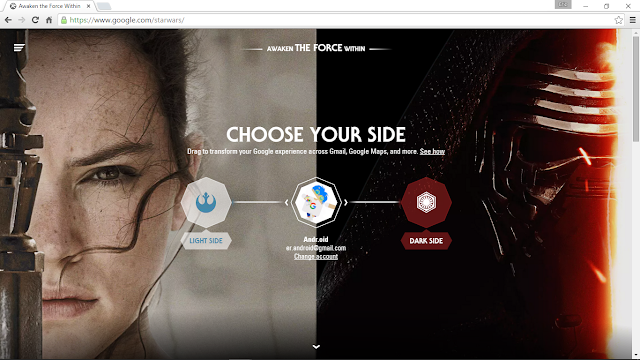
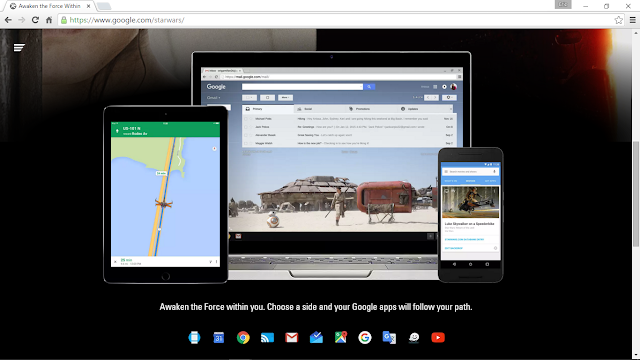
Googles interactive StarWars page

Visit google.com/starwars and choose your side.


Read More..

Thursday, May 26, 2016

Our commitment to protecting your Google Apps information


Editors note: Our guest blogger this week is Marc Crandall, Head of Global Compliance at Google for Work. A lawyer and long time Googler, Marc focuses on regulatory matters involving privacy and security.

We regularly hear from our customers that assessing data protection compliance in various countries around the world can be challenging. Protecting the privacy and security of our customers’ information is a top priority, and we take compliance very seriously. That’s why weve been working hard to make things a bit easier for you.

We recently launched a new legal and compliance section of the Google Admin console where Google Apps administrators can find pointers to useful information, such as security and privacy certifications, third-party audits and data center and subprocessor information. This will be helpful to everyone, from those who manage their own domain to legal, security and privacy compliance specialists.

Another important resource for Google Apps for Work customers is our data processing amendment, which we’ve offered to customers since 2012. Customers that use our products for Work and for Education are often subject to data protection and compliance regulations. To help address this, in addition to our commercial agreements, we offer a data processing amendment that describes Google’s specific data protection commitments for your Google Apps information.

If you operate in a regulated industry, having Google’s data protection obligations in writing helps demonstrate to regulators that we take significant and concrete steps to protect your information. For customers subject to laws implementing the European Union’s Data Protection Directive, our data processing amendment also contractually binds us to remain enrolled in the U.S Department of Commerce Safe Harbor Program. And we indicate that Google Apps customers may opt-in to model contract clauses with Google.

While the data processing amendment does not affect the functionality of Google Apps, we believe customers with regulatory compliance considerations will find the amendment useful. You can access the data processing amendment from within the Admin console.

Millions of organizations use Google for Work today — they come from all sectors and more than half of our customers operate outside of the United States. You rely on Google to provide strong data protection capabilities, in compliance to your specific needs. With these tools in place, we hope to make it easier for you and third parties to verify that. For more information, visit our Google for Work and Google for Education trust site.
Read More..

Saturday, May 21, 2016

Going Google just got easier


Word processing and spreadsheet programs are the mainstay of office productivity software. Let’s face it: without a great way to write memos, crunch numbers and flesh out ideas, you can’t get any meaningful work done. For a long time, productivity software was a bit like a midsized sedan: sturdy, dependable, loaded with features and a little dull.

Nine years ago with Google Docs, we saw an opportunity to build something that would enable people to work together in new ways. Fast forward to today and Docs is a productivity powerhouse. Now’s a great time to give it a fresh look if you want to take advantage of its unmatched collaboration tools. We’ve made it easy by covering most of the features some claim to be missing and adding nifty new stuff like Voice Typing and Explore. All in all, we think youll find it’s the perfect tool for work.

In fact, were so confident that Docs has all the features you need, without the ones you dont, that were making it even easier to give it a try. If youre worried about switching to Docs because you still have an enterprise agreement (EA) with another provider, well cover the fees of Google Apps until your contract runs out. Well even chip in on some of the deployment costs and set you up for success with one of our Google for Work Partners.

Once your current EA is up, we offer a simple contract with no traps or gotchas. For a lot of businesses, it’s cheaper, too. Our estimates suggest that businesses with basic EAs and no dependencies can potentially unlock savings of up to 70% by switching to Google Apps for Work.

There’s a new way of working, and we think that once you see Docs and the rest of Google Apps for Work in action, you’ll never want to go back. We want to help you experience it now, even if you’re locked into an existing EA. If you’re in the US or Canada, click here now to learn more and see how Google can work for you. If you’re outside the US or Canada, stay tuned  we’re actively working to bring this offer to our global markets as well.
Read More..

Sunday, April 10, 2016

Retirement of certain Google search APIs

Posted by Vijay Subramani, Technical Program Manager, Google Cloud Platform

Back in 2011, we announced the deprecation of the following APIs: Google Patent Search API, Google News Search API, Google Blog Search API, Google Video Search API, Google Image Search API. We supported these APIs for a three year period (and beyond), but as all things come to an end, so has the deprecation window for these APIs.

We are now announcing the turndown of the above APIs. These APIs will cease operations on February 15, 2016.

You may wish to look at our Custom Search API as an alternative for these APIs.

Read More..

Monday, March 21, 2016

Polygon Group uses Google Apps to drive disaster response


Editors note: Today’s guest blogger is Mats Randleff, IT Director for Stockholm, Sweden-based Polygon Group, a global provider of property damage restoration, temporary humidity control and property performance services. 

When disaster strikes, Polygon Group is often the first call companies make to help restore their facilities and critical documents. We also provide services like humidity control to prevent property damage, and consult on business continuity and disaster recovery plans. Nearly two-thirds of our 2,800-employees are mobile, so we can be on the spot for our customers whenever we’re needed.
Every minute counts when companies are trying to get back to business after a fire or flood, so our field technicians need reliable communication tools. We used various email systems across our 300 offices, but they needed rigorous IT support to stay up and running. We looked to the cloud for a single system our entire workforce could use and considered Microsoft 365 and IBM SmartCloud (since we’d been using Lotus Notes), but Google Apps stood out as a single, secure system with all the functionality we needed.

We believed our employees would quickly embrace Google tools, since Android was already our most widely used platform for mobile devices. When we tested Google Apps with 50 managers throughout Polygon and saw a 95% satisfaction rate, we wasted no time rolling out Apps to more than 1,900 users worldwide. We worked with Avalon Solutions, a Google Apps Premier Partner in the Nordics, who performed the successful migration and roll-out to our global team.

Since moving to Apps in spring 2013, we’ve achieved significant cost savings. We’ve reduced travel expenses because our workers use video-conferencing on Hangouts to meet rather than coordinate costly and time-consuming in-person meetings. IT support costs are down, too. In fact, compared to our previous Lotus Notes environment, our cost per user is about 50% less – which translates to about $480,000 in annual savings.

Global cooperation has also improved, particularly because group managers have embraced Google Sites as a strategic tool. They’ve created sites for business systems used to report on each group’s operational performance. Managers can monitor financial metrics, key performance indicators, and other information in a single environment that’s easy to use and share. We plan to create sites for our country management teams to track business performance for each region.

Google Apps opens up new ways of working at all levels within Polygon, from managers to field technicians. What began as a search for a new email system has evolved into a complete overhaul of our communications. Today, thousands of Polygon employees across more than a dozen countries communicate and collaborate with ease using Google Apps. The greatest benefit for us is that we now can provide a faster, more effective response to businesses in the challenging and courageous position of overcoming natural disaster.
Read More..

Wednesday, February 24, 2016

Surfacing content from iOS apps in Google Search

Posted by Eli Wald, Product Manager

We’ve been helping users discover relevant content from Android apps in Google search results for a while now. Starting today, we’re bringing App Indexing to iOS apps as well. This means users on both Android and iOS will be able to open mobile app content straight from Google Search.

Indexed links from an initial group of apps we’ve been working with will begin appearing on iOS in search results both in the Google App and Chrome for signed-in users globally in the coming weeks:

How to get your iOS app indexed

While App Indexing for iOS is launching with a small group of test partners initially, we’re working to make this technology available to more app developers as soon as possible. In the meantime, here are the steps to get a head start on App Indexing for iOS:

  1. Add deep linking support to your iOS app.
  2. Make sure it’s possible to return to Search results with one click.
  3. Provide deep link annotations on your site.
  4. Let us know you’re interested. Keep in mind that expressing interest does not automatically guarantee getting app deep links in iOS search results.

If you happen to be attending Google I/O this week, stop by our talk titled “Get your app in the Google index” to learn more about App Indexing. You’ll also find detailed documentation on App Indexing for iOS at g.co/AppIndexing. If you’ve got more questions, drop by our Webmaster help forum.

Read More..

Tuesday, February 16, 2016

Enhanced add ons experience for Google Docs admins and developers


A year ago, we partnered with loads of great developers to showcase their add-ons for Google Docs. Add-ons have opened up a world of extra features for our users, from a student needing a powerful tool for diagrams to a project manager looking for a handy way to keep their team on track.

Today we’re releasing a couple of updates to help developers share their add-ons with an even wider audience and give Google Apps IT admins more consistent control over which add-ons are used in their organizations.

Developers can now choose to make their add-ons for Docs, Sheets and Forms available for installation across entire domains, which automatically creates a Google Apps Marketplace listing thats easy for customers to find. It also means that admins can install these handy add-ons for their whole organization using just a couple of clicks.


And speaking of admins, we want to make sure they have the control they need when it comes to deciding which add-ons are best suited for their organizations and teams. For example, in particular cases — like in education — it might not be desirable to let all end-users install their own add-ons. With this update, admins will continue to have a “disable add-ons” option for their users, but they can also whitelist add-ons via the Google Apps Marketplace for their entire domain or a specific team.

With these updates, customers can now get all the add-ons they want with all the control they need. Learn more about managing Google add-ons for your organization.
Read More..