Pages

Showing posts with label 2. Show all posts

Friday, January 20, 2017

Sense 5 Toolbox the best customizer for HTC Sense 5 based ROMs


If you havent used it yet - you really should. Im talking about the "Sense 5 Toolbox" application, made initially for Android Revolution HD. In the last few weeks the popularity of this application reached an unexpected level, and we believe its a reason to celebrate.

More details about the Sense 5 Toolbox can be found on this blog, under "Sense 5 Toolbox" link on the right panel. Or, just click here.

Why Sense 5 Toolbox?

The application is an answer for 2 basic issues: many users wants to customize their OS as much as possible, but currently available solutions similar to Sense 5 Toolbox are very limited when it comes to the possibility of using them on most custom ROMs.

Android Revolution HD is known to be a "stock-looking" ROM, which was always the most important aspect for many users, who were looking for a stable and well known custom ROM. However, having a custom ROM with such popularity brought our attention to many users, who were looking for a stable custom ROM, but also with a little touch of customisation features - like displaying the battery percentage, or being able to re-order or re-design some part of the UI. This leads to two different approaches:
  1. having a custom ROM full of many more or less advanced features coded into the framework, which always ends up with all sort of issues, bugs, waiting a long time for a new ROM version based on freshly released official OS update etc; or
  2. having a custom ROM like Android Revolution HD, close to stock with just a few changes under the hood to make Android users life easier, combined with a standalone application like Sense 5 Toolbox.
The result is what most users are looking for: stock looking by default, a stable and optimized custom ROM - but with the capability to change many things inside the OS.

With Android Revolution HD and Sense 5 Toolbox you have:
  1. fast updates when a new OS is released/leaked,
  2. a stable custom ROM,
  3. the capability to customize your OS,
  4. great performance because of the tweaks under the hood,
  5. many features not available on the stock ROM.
The Sense 5 Toolbox is under continuous development. More and more features are coming with each new release and the "to do" list is quite large.


In the background, another project is still alive and under heavy development too. Im referring to the "Revolution Toolbox" application, announced in this post few weeks ago. Its still being tested, however we are getting close to the first public beta. Just one little secret I can say out loud now - Revolution Toolbox and Sense 5 Toolbox will "connected" in a particular way. Cant say more for now, stay tuned!

Have any questions or comments? Feel free to share! Also, if you like this article, please use media sharing buttons (Twitter, G+, Facebook) below this post!
Read More..

Friday, December 30, 2016

Android 4 3 update for HTC One


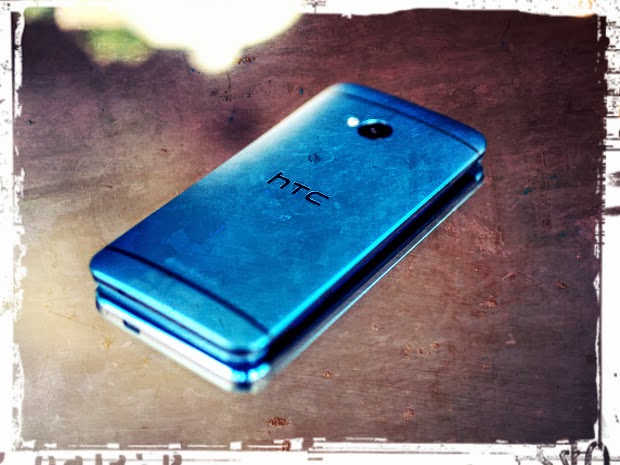
HTC One finally received official Android 4.3 Jelly Bean update from HTC. So far the update is available for only 2 CID/MID variants:

  • x.xx.709.x for Asia TW (Taiwan) - from 2.24.709.1 to 3.18.709.2
  • x.xx.1540.x for Developer Edition - from 1.29.1540.17 to 3.22.1540.1

Both OTA updates are around 550 MB so its pretty large update. Keep in mind you cant flash particular OTA update on the device with different CID/MID. That said, international users (WWE x.xx.401.x) still needs to wait for proper OTA package.


In a mean time we had some preview of whats coming along with Android 4.3 for HTC One in a leaked 3.17.502.2 software for Cingular US (United States). The reason why x.xx.502.x software was ready in a first place was the release of HTC One blue variant for U.S. AT&T network provider. You can find the latest Android Revolution HD 21.0 based on this software under this link.

If you dont want to wait for WWE update, there might be something special coming today for all HTC One users. Android Revolution HD 22.0 should be available soon in my xda-developers thread under this link.

Have any questions or comments? Feel free to share! Also, if you like this article, please use the media sharing buttons (Twitter, G+, Facebook) below this post!
Read More..

Tuesday, December 27, 2016

Google Redefines GPS Navigation Landscape Google Maps Navigation For Android 2 0

Google Redefines GPS Navigation Landscape: Google Maps Navigation For Android 2.0

Posted using ShareThis
Read More..

Monday, December 19, 2016

Belgian employment agency VDAB offers job services at the speed of Google Apps


Editors note: Today’s guest blogger is Michael De Blauwe, project leader of the Innovation Lab at VDAB, the public employment bureau for Belgium’s Flanders region.

In the past, clients walked into one of our employment offices and waited to meet with one of our consultants. Today, they don’t have to leave home to get face-to-face feedback on their resumes or participate in mock interviews. Timing is critical for job seekers, and at VDAB – the public employment bureau for Flanders – we’re using Google Apps to more quickly and efficiently help people in need of job services and training. We’re also reaching more people while saving money by reducing the number of physical employment centers by nearly 30%.

What used to take a week for an in-person resume workshop followed by a practice interview, now happens in less than 24 hours. Our thousands of employment specialists use Google Hangouts and Google Docs to review customers’ resumes and coach them on interview skills. This digital transformation has been a hit with job seekers. In 2013, we had 4,920 people use our new e-coaching services, and 83% said they would recommend it to friends.

We’re not just using Apps to serve more people — we’re delivering better service. VDAB job coaches now use Google Drive to store resources and Docs to comment on clients’ resumes while speaking with them on Hangouts. All of a client’s job-related files are stored in one place, with all feedback contained within the document.

Our team also works together more efficiently. Because our coaches work from different locations throughout Flanders, it’s helpful to have a central repository that allows people to share information and work together from different locations. We use Google Drive to share information about job openings and Google Sheets to track customer queries in a single document that everyone can access. Before Google, we’d send thousands of emails back and forth to share resources, respond to customers, and schedule appointments.

When we made a company-wide push behind Apps in 2012, using our early Google adopters to inform others, we found that it was already taking hold. Now that all of VDAB has switched to Apps, we’re moving faster, helping more people build their job-seeking skills and matching more employers with qualified candidates.

We worked with Capgemini, a Google Apps Premier Partner in Belgium, who performed this successful migration.
Read More..

Tuesday, November 1, 2016

First custom ROM based on HTC Sense 5 5 is out for HTC One!

Yes, here it is! The one youve been waiting for! Android Revolution HD 30.0 is the world first custom ROM for the HTC One based on Android 4.3 and new HTC Sense 5.5 UI.

Just grab it from downloads section!

My XDA-Developers thread with link to follow my work - http://goo.gl/UajIh2

Have any questions or comments? Feel free to share! Also, if you like this article, please use media sharing buttons (Twitter, G+, Facebook) below this post!
Read More..

Wednesday, September 14, 2016

HTC One M8 Android 4 4 3 latest system dumps 2 22 401 4


Today HTC has officially started rolling out the newest Android 4.4.3 update (with Android 4.4.4 security fixes included) for the HTC One M8. The newest system version is tagged as 2.22.401.4 and it brings a lot of improvements system wide. Some of them we already mentioned here and here.

If you dont want to wait for the OTA notification you can already flash latest system dumps.  For more details please visit my XDA thread.

If you are a power user and a custom ROMs flasher, you can also grab the latest Android Revolution HD based on the 2.22.401.4 update with many extra goodies under the hood.

Finally, if you only want to root your device and keep the rest stock, feel free to visit my XDA thread with a special rooting tools.

All above files can be accessed via Downloads Page on my blog.

Do you have any questions or comments? Feel free to share! Also, if you like this article, please use media sharing buttons (Twitter, G+, Facebook) below this post!

For latest news follow Android Revolution HD on popular social platforms:

Read More..

Thursday, August 25, 2016

Google launches Android 2 2 SDK

Google launches Android 2.2 SDK - V3.co.uk - formerly vnunet.com

Hmm... a new version of the SDk is out! The article above highlights one of the features - the ability to move applications to SD Card thus giving more space for mote applications to be accommodated on an Android mobile.
This is a minor release and yet there are quite a few noteworthy features, some of them listed below:
1. Multiple keyboard languages - a user can switch between languages by swiping across the spacebar
2. The android mobile can be used as a protable Wi-Fi hotspot from which 8 devices can connect.
3. The camera and gallery have been enhanced with a new UI for controlling zoom, focus, flash, exposure etc.
4. Some of the new platform technologies introduced are a new media framework - Stagefright and bluetooth enhancements
5. For the developers. there are some new APIs introduced in Apps on external storage, Media framework, Camera and camcorder, graphics, data backup, device policy manager and UI framework.

For more details on the above, read the article: Android 2.2 Platform Highlights
Read More..

Thursday, August 11, 2016

HTC One vs Apple iPhone 5s comparison part 2


The HTC One has received high praise in recent weeks, including the honors of smartphone of the year. For many, the One defines what a smartphone should be. It has a beautiful 4.7 inch 1080p display, elegant aluminum zero-gap build, loud and clear dual front facing boomsound speakers and user friendly Sense 5. The handset has dealt with stiff competition in recent months, with the iPhone 5s garnering a ton of hype.

Regardless, the One has stood on its own, as we delve into both handsets in part two of our two part comparison between the two handsets.


Check out more no nonsense tech at Technibility.com!

Have any questions or comments? Feel free to share! Also, if you like this article, please use media sharing buttons (Twitter, G+, Facebook) below this post!

Read More..

Saturday, July 30, 2016

How To Fix Wi Fi connecting issues on the HTC One running Android 4 4 2

It turned out that HTC One users have lately some problems with connecting their devices to the Wi-Fi routers after the Android 4.4.2 update. Here we present the iconography solution of this problem.

  1. Open Settings panel and click on the "Wi-Fi" tile
  2. Tap on the "3 dots" menu in the upper right corner
  3. From the list select "Wi-Fi Direct"


  4. You will now see that your device is called "Android_ed2c". Tap on the "3 dots" menu in the upper right corner
  5. From the list select "Rename device"
  6. Replace the "Android_ed2c" with  the "HTC One" text and hit "OK" button


  7. Done!
Have any questions or comments? Feel free to share! Also, if you like this article, please use media sharing buttons (Twitter, G+, Facebook) below this post!
Read More..

Tuesday, July 26, 2016

Galaxy On Fire 2 for Mobile Java J2ME Full Version

Galaxy On Fire 2 for Mobile Java J2ME Full Version


Galaxy On Fire 2 adalah game futuristik yang bersetting di luar angkasa tanpa batas. Meliputi pertarungan antar pesawat luar angkasa, jual beli barang dengan sistem monopoli, serta membeli pesawat terkuat!


Read More..

Friday, July 8, 2016

Bring Android to work on your terms with Google Apps


With just the phone in your pocket, you can email your boss in Gmail and then ask your kids when they’ll be home using Hangouts. You can follow up with a new client in Salesforce and pull up your tax documents in Drive. Everything you do, whether its for work or your personal life can all be done from the device you always have by your side. That’s pretty powerful and can save a lot of time. But with great power comes great responsibility, and keeping that information secure requires some attention — whether it’s keeping your tax documents private to yourself or your email conversations secure within your company.

That’s why last week we made Android ready for work — making it easier for the more than one billion Android users out there to access the apps they need to be productive on their phones and tablets. Today we wanted to highlight the ways Google Apps Mobile Management let’s you take full advantage of Android for Work.

If you use Google Apps you already have a Mobile Management provider

Phones get lost. Tablets stolen. People leave the company. Things happen. We believe you should have the tools to keep your work data safe, and that this safety should just be built in to the applications you choose. That’s why mobile device management — across Android and iOS — is included with Google Apps and Google Drive for Work. Apps Mobile Management allows admins to see what devices are connected, require device passwords and remotely wipe data when necessary.

Security that’s easy to manage

As the domain administrator, with today’s launch, you can now choose the level of data separation that works for your organization. Whether it’s a personal device or a corp-issued one, with Android for Work, you can have all your employees create a Work Profile that isolates and protects work data from other activity on their phone. Or make it a choice, and let employees continue to switch accounts within Gmail and other Google mobile apps, while using the Work Profile for non-Google work related apps. Either way, all their work information is encrypted and can be remotely wiped.

The Work Profile keeps all work approved apps separate from the rest of the phone.

Easy to use

Google Play for Work makes it easy for employees to see what apps are approved by their company and install the apps they want onto their device. Once an admin enables Android for Work, anyone can choose to use the Work Profile, even if not required to. So their own information stays private while the company can enforce Mobile Management policies for work accounts if needed.
Install work apps from Google Play for Work and keep them on your homescreen.
With Google Apps Mobile Management, you can have choice and security at the same time. Your employees can choose the device they’re comfortable with that helps them get work done, and you have peace of mind that company information is secure. Android for Work and Apps Mobile Management is available for all Google Drive for Work and Google Apps for Work, Government and Education organizations. Learn more in the Admin Help Center.


Read More..

Friday, May 13, 2016

HTC One GSM or LTE


HTC One is a new flagship device from HTC for 2013. With no doubts it is a great device with top hardware and innovating software. I will make a review of One soon, so expect a lot of pictures and in-depth comparison of HTC Sense 4+ and brand new HTC Sense 5.

For now some of you might be wondering about possible variants of this device. I made some research and I think I know how would this work. It is not officially confirmed, however I believe it is quite reliable and trustworthy.
Apart of all carriers branded models (also U.S. AT&T, U.S. Verizon and U.S. Sprint), there will be GSM  and GSM + LTE variants available for most countries. Respectively M7_U for GSM and M7_UL for LTE. Now the question is - when new update will come for U, will it come for UL the same day, or maybe week later? I cant answer that, but I hope both variants will be updated at the same time.
First off all, looking at HTC One software, its easy to spot that both U and UL variants have the same code-name "m7". Model ID (MID) will be probably slightly different. LTE variant has PN0710000, while GSM should have something like PN0711000 or PN0710001. The beginning of the code will be the same for all One variants - PN07.

Now, lets assume we speak about European version (to avoid confusion with different CIDs or MIDs). It is said that Snapdragon 600 (HTC One SoC) has LTE modem already integrated (just like S4 and S4 Pro). So logically, there shouldnt be 2 different variants of S600 (with or without LTE). And so I believe that. This means that GSM variant of HTC One will have LTE modem as well, but most probably it will be disabled. Is it possible to disable LTE modem? Sure. The fact that specific SoC has LTE modem doesnt mean its activated.

Will it be possible to activate LTE radio in GSM model? Im not sure yet, but I think it would. How? Youll need S-OFF device, thats obvious. Since both GSM and LTE models will have the same hardware, having S-OFF you should be able to flash M7_UL software (RUU.exe). Of course youll have to modify your Model ID (MID) in fastboot before (fastboot oem writemid PN0710000). Is there a risk to totally brick your device? Yes! So dont try it before it is confirmed to be working.

To find any official confirmation of my research I visited Qualcomm site and went to the specification page of new Snapdragons 200, 400, 600 and 800 chipsets. Here is the picture of S600 features:

As you can see, LTE modem is indeed integrated, and so will be present in GSM models as well. Here I repeat again - it will be disabled on GSM units and it wont be possible to switch it on/off in settings just like that. Enabling LTE on such units will be either not possible at all, or it will be possible by flashing M7_UL RUU to S-OFF device. Why this does not apply to HTC One X and its LTE brother, HTC One XL? Because One X is based on quad-core nVidia Tegra 3, while One XL is powered by dual-core Qualcomm Snapdragon S4. Yes, both are running different SoCs, because Tegra 3 doesnt have LTE modem integrated.

How to recognize if HTC One is GSM or LTE version? Looking back at some HTC devices like HTC One SV (C525u) you could noticed "4G LTE" text on the back cover. I wouldnt expect similar text this time, because the back case is not removable.

Do you already own LTE version of HTC One? Consider flashing my custom ROM from this site.

Have any questions or comments? Feel free to share! Also, if you like this article, please use media sharing buttons (Twitter, G+, Facebook) down this post!


Read More..

Wednesday, April 27, 2016

HTC One Android 4 2 2 with HTC Sense 5 1 aka HTC Sense 5 0


There were quite a lot of rumours about upcoming HTC Sense and Android 4.2.2 update for HTC One and HTC Butterfly. All were expecting HTC Sense 5.1 to show up, but instead, the version of HTC UI in latest Android 4.2.2 update is still 5.0. However, it does have a lot of important changes. Let me introduce few of them.
1. % battery icon


Finally! The most popular modification in custom ROMs of all kind. Now you can enable it under Settings ---> Power ---> Show battery level.


2. Android EQS


HTC did a great job by incorporating Android native EQS. You can switch it by tapping on the EQS icon in the upper right corner of the notification menu.


3. Android Daydream

Another Android 4.2.2 feature included in latest HTC update.


4. Long press home button works as menu button.

Its been very popular modification in HTC One custom ROMs. Now its by default added to Android 4.2.2 update as well.


5. Minor changes in the app drawer and dock

Now you can remove all the icons from the dock, which wasnt possible in HTC Sense 5.0 we had in Android 4.1.2. Also, after moving some particular icon to the dock, it wont be gone from the app drawer.


6. More new screenshots coming soon!
Read More..

Tuesday, March 8, 2016

HTC One X with Android 4 2 2 HTC Sense 5 0 update

HTC One X is one of the very few (if not the only one) devices from HTC which reached 4.xx.xxx.x software version (4.18.491.2). This only proves how great this device still is and how many users are still actively using it. Today HTC One X users are receiving one of the most important update - Android 4.2.2 with HTC Sense 5.0. Last summer HTC did similar update, upgrading HTC One X with Android 4.1.1 from Android 4.0.4 and bumping HTC Sense from 4.0 to so called "4+". However, HTC Sense 4.0/4+ update wasnt that significant and didnt bring so many new features and improvements as HTC Sense 5.0.


The new update includes well known HTC BlinkFeed™ (available firstly only on HTC One), native Android Quick Settings and completely re-designed HTC Sense interface. Two features are missing from HTC One - HTC BoomSound™ and HTC Zoe™. Unfortunately, both are hardware related. BoomSound™ obviously needs dual speakers audio system, and HTC Zoe™ was created to work with small pictures taken with UltraPixel camera - which allows user to take excellent pictures in natural conditions using only 4 mega pixels resolution in pair with dedicated HTC ImageChip™ 2.


As you can see, there is a changelog attached to the OTA notification, however it is just a "commercial" changelog - that means there are a lot of different changes/improvements under the hood. Android 4.2.2 update brought a lot of changes itself, not to mention new HTC Sense 5.0 features, further optimization in SoC drivers and kernel related improvements.


The new update for HTC One X looks great and surely will bring some fresh air to the device. HTC One X+ already received HTC Sense 5.0 update few days ago, however it was only Taiwanese update so far. Below you can see HTC BlinkFeed screen together with Android Quick Settings on latest HTC One X 4.18.401.2 software.


Have any questions or comments? Feel free to share! Also, if you like this article, please use media sharing buttons (Twitter, G+, Facebook) down this post!
Read More..

Thursday, March 27, 2014

Crysis 2

Crysis 2 is a first-person shooter video game developed by Crytek, published by Electronic Arts and released in North America, Australia and Europe in March 2011 for Microsoft Windows, PlayStation 3, and Xbox 360. Officially announced on June 1, 2009, the game is the second main installment of the Crysis series, and is the sequel to the 2007 video game Crysis, and its expansion Crysis Warhead.[3] The story was written by author Richard Morgan.[4] Another science fiction author, Peter Watts,[5] was also consulted and wrote a novel adaptation of the game. It was the first game to showcase the CryEngine 3 game engine.


Overview

Crysis 2 is a first-person shooter. The player assumes the role of a Force Recon Marine called Alcatraz. Similar to its predecessor, it provides freedom to customize weaponry and abilities. Crytek wanted to avoid making another game set in a true jungle environment (as were Far Cry and Crysis); New York City has been dubbed an "urban jungle". The urban atmosphere offers new options with relation to progressing and planning attacks. Players are able to navigate between floors and buildings, as well as a destroyed cityscape.


Campaign
The player assumes the control of a Force Recon Marine named "Alcatraz", who gains ownership of the Nanosuit 2.0 from Army Delta Force officer Laurence "Prophet" Barnes, who returns from the original Crysis. CryNet Systems has been hunting Prophet to retrieve the suit, inadvertently pursuing Alcatraz, believing he is Prophet. The aliens seen in the original game have undergone a major redesigning, abandoning the ancient, tentacled exosuits seen in the first game for high-tech humanoid armored war machines that stalk Alcatraz through the ravaged New York City. Crytek has stated prior to release that their intention was to surpass the original game graphically[6] and gameplay-wise while also having lower system requirements and also supporting true stereoscopic 3D.[7] More recently, with the release of the PC demo, it is clearly seen that the "minimum" requirements are whats required to run the game on "Gamer" settings at an HD resolution.[8] The "Gamer" setting is changed to "High" in the final game, but for all intents and purposes it is exactly the same as before, and the game can be played at lower resolutions with hardware below the minimum requirements.
The new Nanosuit supports new and upgraded features. However, suit functionality has been streamlined; multiple modes can easily be used simultaneously whenever the user wishes. This is decidedly different than the first game, in which the suit was generally limited to a single mode at a time and multiple modes cannot be used simultaneously for more than a split-second. The first suits Strength and Speed Modes have been combined into the new Power Mode, the suit binoculars function has been upgraded with an advanced Tactical mode, the Cloaking Device has been modified to allow increased sensory input and silent melee stealth kills and has been renamed to Stealth Mode, while the Armor Mode has been left more or less as is, with the exception of slightly restricted agility and an ever-decreasing energy level. There are two trailers, with one trailer showing the suit in a wire-frame state,[9] the other showing the suit in a complete state.[10] In-fiction, the suit is to feature many improvements over its predecessor, giving soldiers freedom to upgrade their suits based on their own style of combat.[11]
PC Gamer magazine published a preview of Crysis 2, showing a park and a destroyed city street with an alien device in the center. In the articles interview Crytek hints at how the game will have "increased verticality" and will be set in a "new type of jungle".
Crytek confirmed to CVG that Crysis 2 would not use EAs online pass system. "All we can say/confirm is that we arent using Online Pass for Crysis 2", the studio said in a brief statement.[12]

Read More : http://en.wikipedia.org/wiki/Crysis_2


PC MINIMUM System Requirements


Operating System: Windows 7 / Vista (SP1) / XP (SP3)
(Any version of Vista and Windows 7 will work, 32 or 64-bit)
Processor: 2.0 GHz Intel Core2Duo OR 2.0 GHz AMD Athlon64 X2 OR better
RAM: 2 GB
Video/Graphics: DirectX 9.0c compatible, nVidia 8800 GT 512 MB or ATI HD 3850 512 MB OR better
Video card special: DirectX 9.0c compatible AND Shader model 3.0
Sound: DirectX 9.0c compatible sound card
Hard Drive: 9 GB free space
DVD-rom: 8x or faster

Read More..

Thursday, March 6, 2014

Window Type Aircon Installation Part 2

Now that Ive secured the A/C in place, time to finish up this project.
 

Our unit did not come with any free framing so I had to come up with something to: 1. Hide the nasty edges and gaps and 2. to seal off that big hole left behind because of our smaller A/C unit. We have to patch everything up so that cool air wont escape.


To seal off the gaps - I decided to use the styro foam that secured the A/C in its box. My wife helped out with cutting it in shape and tucking it in every nook and cranny.


While she was busy filling the gaps - I had to come up with a make shift frame that would make everything presentable. I used the old marine plywood that had previously covered that big hole in the wall.

Test fit part number 1 - I dont have that much wood at hand so I had to make the frame in pieces.


As mentioned in my previous post - Im not really a fan of concrete nails - so I had to drill out holes (using my trusty power drill) and secured the frame with some tox and screws. TIP: Take extra precaution when drilling holes in the wall - you might hit some electrical wiring and could lead to electrocution - Thanks to PHM gurus for reminding me )


This is much easier than using concrete nails :)


The frame is now complete - since I have a small A/C unit - I needed a big frame to compensate for that big hole.


Notice the masking tape at the sides? This is in preparation for paint - it would have been easier to remove the frame (they are just screwed in anyway) but since this project was done before our long weekend at my inlaws - I decided to paint it in place so I could just leave it to dry over the weekend and I wouldnt have to worry about putting it back in place once we get back :) TIP: Paint fumes are harmful to your health - always paint in a well ventilated area :)


This choco brown paint I had lying around is a perfect - it matches our cabinets and shelves!


The proper way to paint is to lay on a coat of primer first - but since Im cheap - I go straight to the base coat :)


I guess the downside to not using primer is that you have to apply several coats of paint before getting an even color - we can clearly see the brush strokes - but no need to worry..


.. as several coats of paint will give it a nice and even finish. To finish off the seal - I used the gray insulating foam that came with the A/C package.


Time to remove the tape :)


Voila! Not bad for a part time handyman like me :)

Yes! You Can install your our Aircon unit! :)

Read More..