Pages

Showing posts with label Android App. Show all posts

Friday, February 10, 2017

Google debuts DIY code tools for Android phones

BBC News - Google debuts DIY code tools for Android phones

This seems to be very interesting stuff... though at the outset it may seem a dampener for hard core techies who take joy in cracking tough nuts by themselves, I am sure these DIY code tools can certainly help the techies too to innovate and re-discover themselves in very new avatars... Need to check what exactly this has to offer. :)
Read More..

Wednesday, February 8, 2017

Get your app featured on the first smartphone with Project Tango from Lenovo

Posted by Johnny Lee, Technical Project Lead, Project Tango

Today, at CES, Lenovo announced the development of the first consumer-ready smartphone with Project Tango. By adding a few extra sensors and some computer vision software, Project Tango transforms your smartphone into a magic lens that lets you place digital information on your physical world.


*Renderings only. Not the official Lenovo device.

To support the continued growth of the ecosystem, we’re also inviting developers from around the world to submit their ideas for gaming and utility apps created using Project Tango. We’ll pick the best ideas and provide funding and engineering support to help bring them to life, as part of the app incubator. Even better, the finished apps will be featured on Lenovo’s upcoming device. The submission period closes on February 15, 2016.

All you need to do is tell us about your idea and explain how Project Tango technologies will enable new experiences. Additionally, we’ll ask you to include the following materials:

  • Project schedule including milestones for development –– we’ll reach out to the selected developers by March 15, 2016
  • Visual mockups of your idea including concept art
  • Smartphone app screenshots and videos, such as captured app footage
  • Appropriate narrative including storyboards, etc.
  • Breakdown of your team and its members
  • One pager introducing your past app portfolio and your company profile

For some inspiration, Lowes Home Improvement teamed with developer Elementals Web to demonstrate a use case they are each working on for the launch. In the app, you can point your Project Tango-enabled smartphone at your kitchen to see where a new refrigerator or dishwasher might fit virtually.


Elsewhere, developer Schell Games let’s you play virtual Jenga on any surface with friends. But this time, there is no cleanup involved when the blocks topple over.


There are also some amazing featured apps for Project Tango on Google Play. You can pick up your own Project Tango Tablet Development Kit here to brainstorm new fun and immersive experiences that use the space around you. Apply now!

Read More..

Saturday, February 4, 2017

Sun Surveyor brings augmented reality to photographers using Google Maps APIs


(Cross-posted on the Geo Developers Blog.)

Editors note: Today’s guest blogger is Adam Ratana, developer of Sun Surveyor. Read how Sun Surveyor is using Google Maps APIs to help photographers capture the perfect photo.

I’m a photography enthusiast, and I’m always looking for ways to improve my work. That’s what led me to develop Sun Surveyor, an iOS and Android app that uses Google Maps APIs to visualize the location of the sun and the moon anywhere in the world. The app makes it easy to figure out when the natural lighting will be just right — and get the ideal shot.

Sun Surveyor uses augmented reality to overlay the paths of the sun and moon on a camera’s view, so you can see where in the sky they’ll be at a specific time and place. Photographers can use it to plan their shots ahead of time, and businesses can use it to gauge things like how best to align solar panels to make the most efficient use of the angle of the sun.

The app uses multiple Google Maps APIs, including the Elevation API, the Time Zone API, the Google Maps SDK for iOS and the Google Maps Android API. The Android API, which includes Street View, was particularly helpful. It allowed me to overlay the path of the sun and moon on any Street View location anywhere in the world. For programming details, see this blog post.

The following screen captures give you a sense of how the app works. They show overlays on top of the iconic Half Dome in Yosemite National Park. The first shows the paths of the sun (yellow line) and moon (blue line) over an aerial view of Yosemite Valley. The green line shows the distance between the photographer and the object to be photographed — in this case, Half Dome.


This next screen capture shows how the app looks when in Street View mode. Again, the yellow line shows the sun’s path, and the blue line shows the moon’s path. The green line represents the horizon. You can see how the app lets you plan the right time to get a shot of the sun behind Half Dome: in this particular instance, 8:06 am.

Nearly 500,000 people around the world have downloaded the free version of Sun Surveyor, and many have paid for the full edition. They’re taking remarkable photos as a result, and what started as a hobby for me has turned into a business — thanks to Google Maps APIs.


Read More..

Friday, February 3, 2017

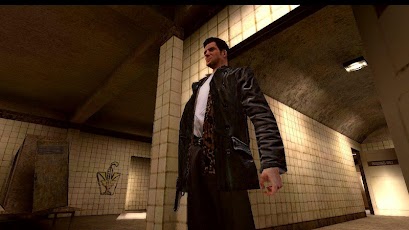
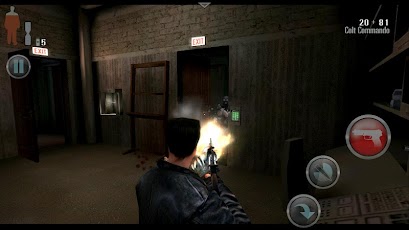
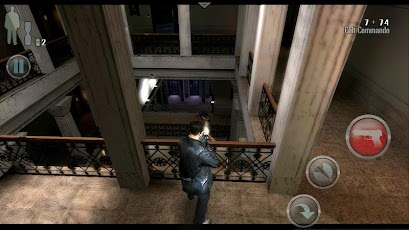
Max Payne Mobile apk Data


Max Payne, the award-winning title is now available for Android mobile devices.
A fugitive undercover cop framed for murder, hunted by cops and the mob, Max is a man with his back against the wall, fighting a battle he cannot hope to win. Max Payne is a relentless story-driven game about a man on the edge, fighting to clear his name while struggling to uncover the truth about his slain family amongst a myriad of plot-twists.


The groundbreaking original cinematic action-shooter, Max Payne introduced the concept of Bullet Time® in videogames. Through its stylish slow-motion gunplay combined with a dark and twisted story, Max Payne redefined the action-shooter genre.

Max Payne Mobile for Android has been fully optimized for the NVIDIA® Tegra® 3 quad-core mobile processor with additional antistrophic texture filtering and enhanced lighting effects providing one of the most visually immersive Max Payne Mobile experiences available.

Features:
• Max Paynes signature slow motion gunplay, Bullet Time®
• Stunningly sharp, HD quality resolution and textures
• Gameplay tailored for touch screen devices
• Highly customizable controls
• Multiple aiming modes
• Compatible with the GameStop Wireless Game Controller and select USB gamepads
• Integrated with Immersion Haptic Vibration Feedback
• Tailor your visual experience with adjustable graphic settings
• Unlock cheats, track your stats and more with full Rockstar Games Social Club integration

Max Payne Mobile is now available on:
Android Phones: Motorola Razr, Razr Maxx, Motorola Atrix, Motorola Photon, Motorola Droid Bionic, HTC Rezound, HTC One X, HTC One S, HTC Evo 3D, HTC Sensation, HTC Droid Incredible 2, Samsung Galaxy Nexus, Samsung Nexus S, Samsung Galaxy Note, Samsung S2, Samsung Galaxy R, Sony Xperia Play, Sony Xperia S, Sony Walkman Z Series Media Player

Android Tablets: Acer Iconia, Asus Eee Pad Transformer, Asus Eee Pad Transformer Prime, LG Optimus Pad, Medion Lifetab, Motorola Xoom, Samsung Galaxy Tab 8.9 / 10.1, Sony Tablet S, Sony Tablet P, Toshiba Thrive, HTC Flyer, HTC Jetstream

For those using the "Skip to Level" cheat, we recommend that you have weapons in your inventory; as you will start a new level with your current weapon set.

Languages Supported: English, French, Italian, German, Spanish, Russian and Japanese.

Please ensure you have at least 1.33 GB of free space before installing Max Payne Mobile.

Install APK
Copy com.rockstar.maxpayne folder to sdcard/Android/obb/
Launch the Game


APK

DATA
Read More..

Tuesday, January 31, 2017

DIY 3D Hologram Projector for smartphone


You can easy search "3D Hologram video" in Youtube:)

Next;
~ I try to simulate the 3D Hologram effect in Android App.

Read More..

Monday, January 30, 2017

Samsung Mobile SDK – Introducing the Complete Package

As mentioned in some of my earlier posts there are a lot of individual SDKs that Samsung has provided over time to the developers. All of these SDKs have been trying to provide things over and above the basic features provided by Android SDKs and some of them with specific focus on Samsung mobiles. However, recently Samsung has put them all together and released the Samsung Mobile SDK! It packages everything into one making it, that much easier for developers to work with.

Considering the fact that Samsung’s flagship Samsung Mobile SDK is now available and the fact that the latest application challenge thrown open by Samsung expects you to use this SDK’s Pen and Look package innovatively on Samsung Galaxy Note 3 and their Tablet Galaxy Note 10.1 (2014 Edition), here I am exploring a bit more of the Samsung Mobile SDKitself.

Apart from the 2 powerful packages Pen and Look, there are 8 more packages have been bundled together into the SDK. All of these APIs are over the Android API layer simplifying some of the tasks for application development on the Samsung phones, which have a huge share in the Android market.

Now, would it be useful to know a little more about each of these packages? Why should we use these packages against the default Android Packages?

Let me explain in brief what each of the packages provides.

1.     Chord package, I have explained in great detail in an earlier post of mine (And hence will not be dwelling further on it here).
2.     Image Filter package provides a varied set of features for image manipulation. It allows you to apply 33 filter effects, some of them with level adjustments. It also allows you to apply a level of transparency to your images.
3.     Pen package is mainly to deal with hand written input. It could be a pen like the one that comes with Samsung Note or just a finger. Apart from recognizing the input, it provides a way to edit, move around text and manipulate the same and even convert the same into a digital format. Brushes, colours and brush sizes are selectable. My next post will be a detailed one on using pen package in a sample code.
4.     Visual View is another package that is part of the SDK that provides various animations based on the OpenGL ES 2.0. It provides some basic animation, transition animation, key-frame animation, advanced geometry functions and a perspective view too.
a.     This is based on Android GLSurfaceView, which is in turn based on SurfaceView. So any code written for Android SurfaceViewcan be used with Visual View.
b.     The default Android animations from scene to scene offer only a blinking effect. However this offers 40 transitions!! Certainly a developers delight.
c.      A Visual View Slide offers a perspective view with a 3D space, with properties like Opacity, Shadow, Rotation etc. Something that would bring ‘gamification’ easily to enterprise apps as well.

All of the above packages are available for all Samsung devices. However, the ones mentioned below are available only on some of them.
1.     Gesture package allows you to capture events generated by hand movements.
a.     This uses the gesture sensor available on some devices. This is supported only on Android 4.3 or above.
b.     Hand movement can be recognised as up, down, left or right along with the angle. Based on that, actions like opening a specific app or playing a specific song etc. can be initiated.
2.     Look package offers specialised functions and widgets for the android view system.
a.     Look supports an editor that can be used with the pen package called the ‘WritingBuddy’.
b.     It also provides a concept of an ‘AirButton’ that is more like a quick access menu or a context sensitive menu that can be initiated by using a pen.
c.      It provides another exciting feature called the ‘SmartClip’ that helps in capturing screenshots or meta data of text and URLs and crop screenshots.
d.     It also provides a ‘PointerIcon’ feature to be able to change the look of the pointer icon when a pen is used in any application.
3.     Media Control is a package that allows you to save and retrieve media files from any DNLA (Digital Network Living Alliance) device.
a.     It provides basic functions of stop, pause, resume, seek for both music and video files that are stored on any DNLA network device
b.     It can seamlessly present still-images to a remote screen
4.     Motion is a package that allows you to use the ‘call motion’ and ‘Pedometer’ features.
a.     The call motion is triggered when you see a message or a number and move the device to the ear!
b.     The Pedometer captures data around the walking of a person with the mobile. It captures the speed, the distance, the calories etc. based on the height and weight of the user.
5.     MutliWindow allows you to run multiple windows with various applications simultaneously. This becomes useful with larger screen devices and almost gives you the power of a laptop in your palm!
a.     Multi instance tray bar is provided to handle the multiple windows that may be opened at any point
b.     It allows you to pair windows in the typical split style
c.      It allows you to resize application windows, minimize them, move or exit from a Window
6.     Professional Audio adds a high performance audio processing logic. Musical instruments can be created with relative ease.


With all of these wonderful packages together, a lot of creativity can be unleashed and I am sure the Samsung Smart App Challenge encourages the Android Developer Communityto use these in innovative ways.

Of all the packages, I am particularly interested in the possibilities with pen and look packages and so will be exploring how to write simple programs using the two of them in the next few posts.