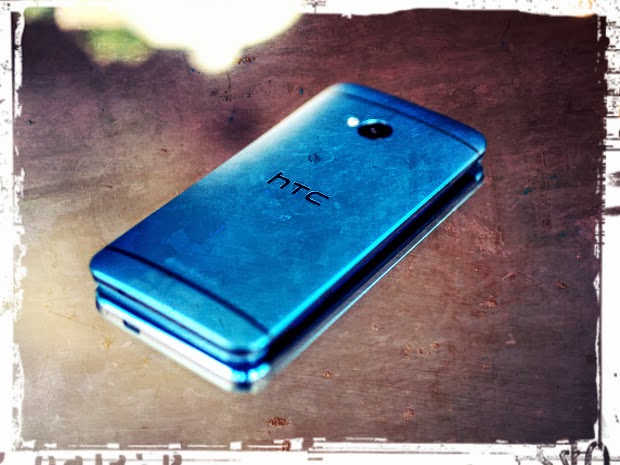
If you havent used it yet - you really should. Im talking about the "Sense 5 Toolbox" application, made initially for Android Revolution HD. In the last few weeks the popularity of this application reached an unexpected level, and we believe its a reason to celebrate.
More details about the Sense 5 Toolbox can be found on this blog, under "Sense 5 Toolbox" link on the right panel. Or, just click here.
Why Sense 5 Toolbox? The application is an answer for 2 basic issues: many users wants to customize their OS as much as possible, but currently available solutions similar to Sense 5 Toolbox are very limited when it comes to the possibility of using them on most custom ROMs.
Android Revolution HD is known to be a "stock-looking" ROM, which was always the most important aspect for many users, who were looking for a stable and well known custom ROM. However, having a custom ROM with such popularity brought our attention to many users, who were looking for a stable custom ROM, but also with a little touch of customisation features - like displaying the battery percentage, or being able to re-order or re-design some part of the UI. This leads to two different approaches:
having a custom ROM full of many more or less advanced features coded into the framework, which always ends up with all sort of issues, bugs, waiting a long time for a new ROM version based on freshly released official OS update etc; or
having a custom ROM like Android Revolution HD, close to stock with just a few changes under the hood to make Android users life easier, combined with a standalone application like Sense 5 Toolbox.
The result is what most users are looking for: stock looking by default, a stable and optimized custom ROM - but with the capability to change many things inside the OS.
With Android Revolution HD and Sense 5 Toolbox you have:
fast updates when a new OS is released/leaked,
a stable custom ROM,
the capability to customize your OS,
great performance because of the tweaks under the hood,
many features not available on the stock ROM.
The Sense 5 Toolbox is under continuous development. More and more features are coming with each new release and the "to do" list is quite large.
In the background, another project is still alive and under heavy development too. Im referring to the "Revolution Toolbox" application, announced in this post few weeks ago. Its still being tested, however we are getting close to the first public beta. Just one little secret I can say out loud now - Revolution Toolbox and Sense 5 Toolbox will "connected" in a particular way. Cant say more for now, stay tuned!
Have any questions or comments? Feel free to share! Also, if you like this article, please use media sharing buttons (Twitter, G+, Facebook) below this post!
Bluetooth is not a new technology and has long been associated with hands free headsets but with newer devices over the last few years it has obviously evolved into a technology that connects to printers, headphones, speakers, cars and of course other phones.
It wasnt long ago that I still used a Microsoft Zune with my phone sitting idle as I didnt trust the battery or it didnt have the capacity to store my music library, it has only been due to looking into the issue I am going to describe that I have begun to consider using a Bluetooth headset, reflecting on the pain of trying to untangle my headphones as I make my daily commute into the city.
But I digress, I made a discovery on the new HTC One M8 (originally noticed on the M7 port by rider5512) that when I shared had a few other users concerned about using Bluetooth securely.
One of the advantages of being an early adopter and someone who has owned the previous iteration of a flag ship model is that you quickly spot the changes that have been made and one of them was a change in the Bluetooth setup where the ability to set a visibility time out was no longer present and the only options I could see for Bluetooth were on or off.
I checked some other devices, including the Sony Xperia Tablet Z (running the latest nightly of Cyanogenmod 11), the HTC One M7 and the LG G2. I also saw, via a quick Google search that this was standard for Apple devices.
Here you can see that same interface on the HTC One M7 (on Sense 5.5) with visibility time-out options from Cyanogenmod 11 showing on the right:
Of all the other models I checked, only the HTC One M8 lacked this visibility option.
So why might this be a concern?
If your device is visible it means that anyone with a Bluetooth connection can see it, there have been pranks with the name Bluejacking where you can be sent unsolicited text message and pictures which are mostly harmless or as you imagine explicit but nothing more than nuisance, with no data being stolen.
In more extreme cases there is something that is called Bluesnarfing (which sounds ridiculous I know) where an attacker can change or copy information from your phone such as your phone book, address book and calendar or even taking it over completely. Obviously this situations are rare and extreme and as a smart reader of this blog, you are likely avoiding it.
At the very least you will be exposing your Bluetooth address to others, for the paranoid Bluetooth can also be used to track you. Certainly if more people in Hollywood were able to disable Bluetooth visibility the cast of Person of Interest would certainly have to do more work than forced pairing. Having a visible device will also increase battery consumption!
I asked Jason Dunn, the current outgoing Senior Manager of the HTC community about this and he quickly got a few details from me and escalated it as initially he thought his was current practice as it didnt seem to be broken function on the M8 but the lack of option altogether.
In less than a week (a credit again to Jason and HTC for working closely with the community), Jason was able to give me a simple yet delightful answer.
In simplest terms, the device is only in discover mode, while you are present in the Bluetooth settings screen.
Again, so simple but that has two strong reasons:
You won’t accidentally leave the device in a discoverable state.
For non-technical end-users it provides a simple yet effective way for them to easily connect their device to other Bluetooth devices.
You can see a quick demonstration below, on the top my Xperia has been unable to find my One M8, on the bottom (and you will have to take my word for it) is in the Bluetooth settings screen and therefore visible.
Basically, HTC have done a great implementation for end users that does not compromise security at all! Once paired the devices will continue to function and connect as you would expect!
On a final note, it is very sad to see Jason moving on from his position at HTC, but I continue to look forward to his thoughts on Twitter and I already had the pleasure of meeting his replacement, Laura Kimball, at the HTC London meet last month.
Great job HTC!
Have any questions or comments? Feel free to share! Also, if you like this article, please use media sharing buttons (Twitter, G+, Facebook) below this post!
For latest news follow Android RevolutionHD on popular social platforms:
Just few minutes ago Phone Designer posted on their Facebook page a new concepts of the incoming HTC high-end device - HTC One M9 "Hima". The authors warned that the concept is based on the current leaks and they cant promise the final product will look exactly the same.
My thoughts? Actually I really hope it will look exactly the same! Pictures are just stunning!
Do you have any questions or comments? Feel free to share! Also, if you like this article, please use media sharing buttons (Twitter, G+, Facebook) below this post!
For latest news follow Android RevolutionHD on popular social platforms:
HTC One finally received official Android 4.3 Jelly Bean update from HTC. So far the update is available for only 2 CID/MID variants:
x.xx.709.x for Asia TW (Taiwan) - from 2.24.709.1 to 3.18.709.2
x.xx.1540.x for Developer Edition - from 1.29.1540.17 to 3.22.1540.1
Both OTA updates are around 550 MB so its pretty large update. Keep in mind you cant flash particular OTA update on the device with different CID/MID. That said, international users (WWE x.xx.401.x) still needs to wait for proper OTA package.
In a mean time we had some preview of whats coming along with Android 4.3 for HTC One in a leaked 3.17.502.2 software for Cingular US (United States). The reason why x.xx.502.x software was ready in a first place was the release of HTC One blue variant for U.S. AT&T network provider. You can find the latest Android Revolution HD 21.0 based on this software under this link.
If you dont want to wait for WWE update, there might be something special coming today for all HTC One users. Android Revolution HD 22.0 should be available soon in my xda-developers thread under this link.
Have any questions or comments? Feel free to share! Also, if you like this article, please use the media sharing buttons (Twitter, G+, Facebook) below this post!
Here is something awesome for Android Revolution HD users. I will give away one, brand new HTC One X+ (GSM only) in color of your choice - black or white, to one winner of this little competition. There is no country limit - its a worldwide party!
The competition starts at 12:00 PM (GMT + 1) on Monday 4th, March 2013 and will continue until 12:00 PM (GMT + 1) on Sunday 10th, March 2013. Winner will be announced on Monday 11th, March 2013.
What you need to do:
1) "Like" HTC (facebook.com/htc) and Android Revolution HD (facebook.com/AndroidRevolutionHD) on Facebook
2) "Follow" HTC (@HTC) and Android Revolution HD (@mike1986_) on Twitter
3) Tweet about this contest with link to this page using hash-tag "androidrevolutionhd" (#androidrevolutionhd) Example tweet: Win HTC One X+ at http://android-revolution-hd.blogspot.com/2013/02/give-away-htc-one-x.html #androidrevolutionhd
Note: If you already meet the requirements from points 1 and 2, now all you need to do is tweet! No need to re-follow or re-like accounts mentioned above. Re-tweets doesnt count. This must be your own tweet. Remember to include link to this contest and hash-tag #androidrevolutionhd.
How will I select the winner? I will randomly choose one person from the list of my Twitter followers who tweeted about this give away using #androidrevolutionhd hash-tag. Is that all? Yes! Easy as that! Just 2 clicks and 1 tweet to win amazing, high-end HTC One X+ - Engadgets Smartphone of the Year!
Good luck!
Want to learn more about HTC One X+? Visit this site - HTC One X+ overview
After attending the London Launch on 25th March I switched from my 2013 HTC One M7 to a new, 2014 HTC One M8. Ive been using it as a regular phone now for a week, and although I am not a technical reviewer, I wanted to share my first impressions.
From all the leaks and gossip circulating before the launch I was expecting a natural progression from the One to the new One, and in many ways that is what I now have in my hand. The HTC One M8 is not a complete reinvention in the way that its predecessor was. It is a carefully planned evolution of the already iconic M7, and the beginning of a progression which I hope will continue for some time.
Look and Feel
I may have (only) been expecting an incremental step-change in the design, but nothing really prepared me for that first feel of it in my hand. HTC have gone beyond themselves with the new design. The casing is 90% metal not the metal/plastic/metal sandwich of the M7 and the sides wrap around and close with the glass of the screen. It truly is a unibody, and the shape puts me in mind of a smoother, all metal, HTC One X (which had one of the best shaped casings of all the HTC phones in my opinion).
The M8 is so good to hold that I find myself taking it out and playing with it even when I dont need to use it.
One welcome addition to the package contents, along with the mandatory charger, headphones and USB cable, is a simple bumper case which can be used to protect the back of the phone when in use. I thought that was quite a good idea on HTCs part...
...and I do try to use it, but in truth, the feel of the phone in my hand is so good I keep taking the bumper off!
The Display
The screen is the same resolution as the previous HTC One, but stretched to a 5 inch diagonal from the previous 4.7 inch of the M7. Even though the pixels are wider spaced than the M7, they are still so dense that there is no noticeable difference between the two.The same superb screen in an even better hardware package.
This next point may only be subjective, but I do feel that the touch screen response is more accurate, and requires only the lightest of touches. I dont have access to any way of proving or disproving this observation so it must remain just my opinion. However, two other people who have tried it have said the same thing, so Im happy to report it as such.
(Later edit - According to the French language tech site, Les Numeriques, this is now a proven fact - the M8 has the fastest touch screen response of any smartphone at 46ms.)
Operating System/UI
The software has been upgraded in ways I wouldnt have imagined. Again most changes have been evolutionary rather than revolutionary, but this is not a bad thing when you intend to take the best and make it even better. I have always been a big fan of HTC Sense, and on my previous (M7) HTC One, Sense 5.5 seemed like the best there was, but Sense 6 on the M8 is a big improvement in terms of performance, memory footprint and usability.
Its an accepted fact that modern flagship phone processors are enormously powerful, and this is the case with the M8, but rather than just go for flat out performance (which it also has in shedloads) HTC has used some of the Snapdragon 801s mighty power to make the user experience more luxurious. In several places I found tiny animation touches which are almost subliminal, but which give the user a distinct feel of smoothness, elegance and luxury without sacrificing performance. For the work I do on my phone, it has proven to be tireless. It hasnt lagged or stuttered at all, and the luxury touches just make it feel smoother and faster still. All in all, Android 4.4.2/Sense 6 inside such a stylish body must be the current state of the art.
Camera/Image Software
Im not a pro photographer (not even a decent hobby one) but I used to do a lot of Photoshop work so I know my way around a photo and how to manipulate it. All I can say is that the new camera and gallery software on the M8 are excellent. Again, the difference between the M7 and the M8 implementation of the Ultrapixel concept is an impressive improvement. I do think that the camera and photo software needs someone to run a dedicated review. There is too much to cover in a first impression.
The original Ultrapixel camera and software tended to polarize the tekkie crowd into the "fors" and the "againsts" based on their need to enlarge and crop, and their opinion of the over processed images created by the default auto settings in the software. I could understand it, but I could never see why HTC needed to cater for less than 1% of the buying public when the rest of the world used their phones to make Instagrams and Facebook selfies ... but there again ... even I felt that there was scope for improvement.
The front-facing "selfie" camera is good enough to challenge a lot of rear-facing cams. At 5 megapixels it is the highest resolution front-facing camera on the market. It picks up great detail, and with the wider angle of the lens it can get everyone (or everything) into the photo.
I took a selfie as a test and I hated it .. it showed every wrinkle and blemish perfectly .. my nose looks like orange peel !!!
And to go with it, heres a group selfie taken during a drunken evening in a London night club !!! Its certainly not a demonstration of photographic skills, but it does show the low light capability of the front-facing camera.
Photos taken by the single Ultrapixel camera are sharper, clearer and less plagued by artifacts than those taken with the same sensor on the M7. In addition, one of the biggest criticisms I heard about the M7 was that it over exposed so badly that any bright light in duller surroundings washed out the picture ... OK ... My friend did a little welding for me today and I used my M8 to catch him at it.
Well... I think the M8 has nailed that little issue well enough...
In my opinion, the basic image processing software has taken a quantum leap in terms of performance. In fully automatic mode the colour reproduction is more lifelike (even though it was already good on the M7), the jpeg tiling artifacts are dramatically reduced, and gone is the nasty edge effect caused by the aggressive over-sharpening on the M7.
This is only the beginning of the story though. HTC have added manual controls to the mix to give a photographer complete control over exposure, shutter speed, white balance etc. and even in auto mode there are controls for the user to set auto-max values. In effect this keeps the convenience of the auto setting, but effectively limits any over-enthusiastic tendencies in the automatic algorithm. For the more enthusiastic users of manual settings, regularly used settings can be saved as new presets which will come up on the camera selection menu once saved.
The result is to my mind extremely effective. I took these photos specifically to avoid the distraction of any interesting content :) ... They are all in auto mode. The first of each pair is taken with the camera zoomed out, the second zoomed in to the max setting. Zooming is now done using pinch gestures rather than an on-screen slider.
Flash was turned off, and the ambient light conditions were what you would expect in a geeks home office... not wonderful.
In addition to the camera performance itself, the rear-facing camera is now a twin-lens arrangement comprising the latest version of the M7s Ultrapixel camera for the image capture, married to a lower resolution module which acts as a depth sensor.
My guess is that being such a low resolution (2mpxl) sensor, the second module is able to take one or several photos at different focusing distances from the the main camera whilst the main image is being captured. This then provides a rudimentary depth map which could be used to provide distance information for use by a range of duo-camera effects.
To take advantace of this arrangement, HTC have improved the post-processing and manipulation, and have added a set of special duo-camera effects which make use of the additional data (which is actually stored in a special hidden area of the jpeg file).
As a walk-in demo, I took a photo of a sales assistant in Mediamarkt to show him what it could do... Ill let the effects speak for themselves.
Original untouched - Normal Shop lighting - Auto setting
U-Focus - the "Bokeh" effect
Foregrounder - Sketch Mode
Foregrounder - Zoom Blur Mode
Foregrounder - Colorize Mode featuring foreground
Foregrounder Colorize Mode featuring background
Each of these effects can be centered on a certain object by tapping the screen on the object, and the software uses the depth of field data as the information to select out the focal point of the effect. Unfortunately, I cannot show you the strange Parallax/3D effect. Viewing that effect is linked to camera motion, but I can assure you that its fun and certainly gets some interesting reactions in the pub :)
Everyone who has seen me show off the effects is won over by how easy, and how clever they are. The more serious photographers are equally impressed by the manual controls and the facility to save setups as presets. Overall, the photo quality is everything I need from a phone camera.
The video sound recording/reproduction is also excellent. I dont know if there is a noise-cancelling mic system, but it certainly seems to be able to differentiate the foreground sounds extremely well. I took this video in Leicester Square tube station with no preparation. I just whipped out the M8, selected video camera mode and started shooting. It was all hand-held, shaky and taken in a tube station at 6pm on a weekday, but despite that... please play it in full HD mode.
I havent yet had time to play with the improved versions of Zoe mode and highlight videos but I have noticed that gallery previews (which are like mini-highlight videos) actually make use of the duo-camera effects when a photo contains the depth data, so Im expecting to see some fun results from these modes too.
Finally deserving a mention is a full spherical panorama camera mode. Again, I havent tried it out yet, but I have tried apps which can do the same thing, and from what I have seen of the HTC interface, the actual act of taking the photos should be a breeze.
Sound
Being a musician, sound is important to me, both on headphones and through speakers. Boomsound on the M7 was good, but I always felt that both the internal speakers and the headphone sound was deformed by the Beats equalizer setting, and the sound from the speakers was a little narrow/weak without Beats. I dont use either Beats or Beats products. I still prefer my trusty little Sennheiser ear buds for a quality sound and the M7 was pretty good with those.
On the M8, the sound from the Boomsound speakers and amplifiers is just plain bigger in every way. Not only is it a fair bit louder (HTC says 25%) but more importantly, the dynamic range is broader, the overall sound is clearer and the sound stage feels wider as a result. Going from the M7 to the M8 was like going from a regular smartphone to the M7, and the same can be said for the headphone sound driving the Sennheisers. Overall the sound quality of the M8 has improved in every way against the M7, and the M7 was the sound yardstick by which all other phones were judged in 2013.
Its very hard to talk about sound .. and unlike photography its not possible to provide examples on a web page ... so as soon as you get the chance please ... go out and try it. You wont be disappointed. In my opinion the M8 addresses and overcomes the M7s few weaknesses exceptionally well. If Boomsound on the M7 redefined smartphone speakers, the M8 redefined Boomsound itself.
Blinkfeed and Sense TV
The rest of Sense 6 is equally impressive. I love Blinkfeed and Sense TV and whilst HTC have improved the interface and their internals and made them even easier to use, they will still feel familiar to any sense 5 user.
Developer and User Support
One of the biggest changes which have arrives with the M8 and Sense 6 is not to do with the device at all, but lies in the software organization. Sense 6 module upgrades and even core service packs are now provided via the Google Play Store and delivered just like any other app. This should drastically reduce the lead time for delivering improvements and add-ins and will decouple the software upgrade process from the operating system upgrades. If it is successful this may well result in HTC being able to deliver even bigger improvements in the timeliness of Android updates than it has already achieved in 2013.
Parallel to this major change, HTC have announced that they are publishing the APIs for the camera, Blinkfeed and other modules, so we should all be able to look forward to seeing a range of third party add-ons, apps, plug-in camera effects and tools appearing on the market. This can only be a good thing and I am waiting to see what some of the great developers out there will have to offer over the next year or so.
One Sentence
I would find it very hard to identify even a single weakness in this device which would make me regret upgrading from an M7 to an M8, and I can recommend it to anyone looking to upgrade their phone this year.
Have any questions or comments? Feel free to share! Also, if you like this article, please use media sharing buttons (Twitter, G+, Facebook) below this post!
For latest news follow Android RevolutionHD on popular social platf

 The application is an answer for 2 basic issues: many users wants to customize their OS as much as possible, but currently available solutions similar to Sense 5 Toolbox are very limited when it comes to the possibility of using them on most custom ROMs.


.png)